QLM Cloud Intro - Part 4
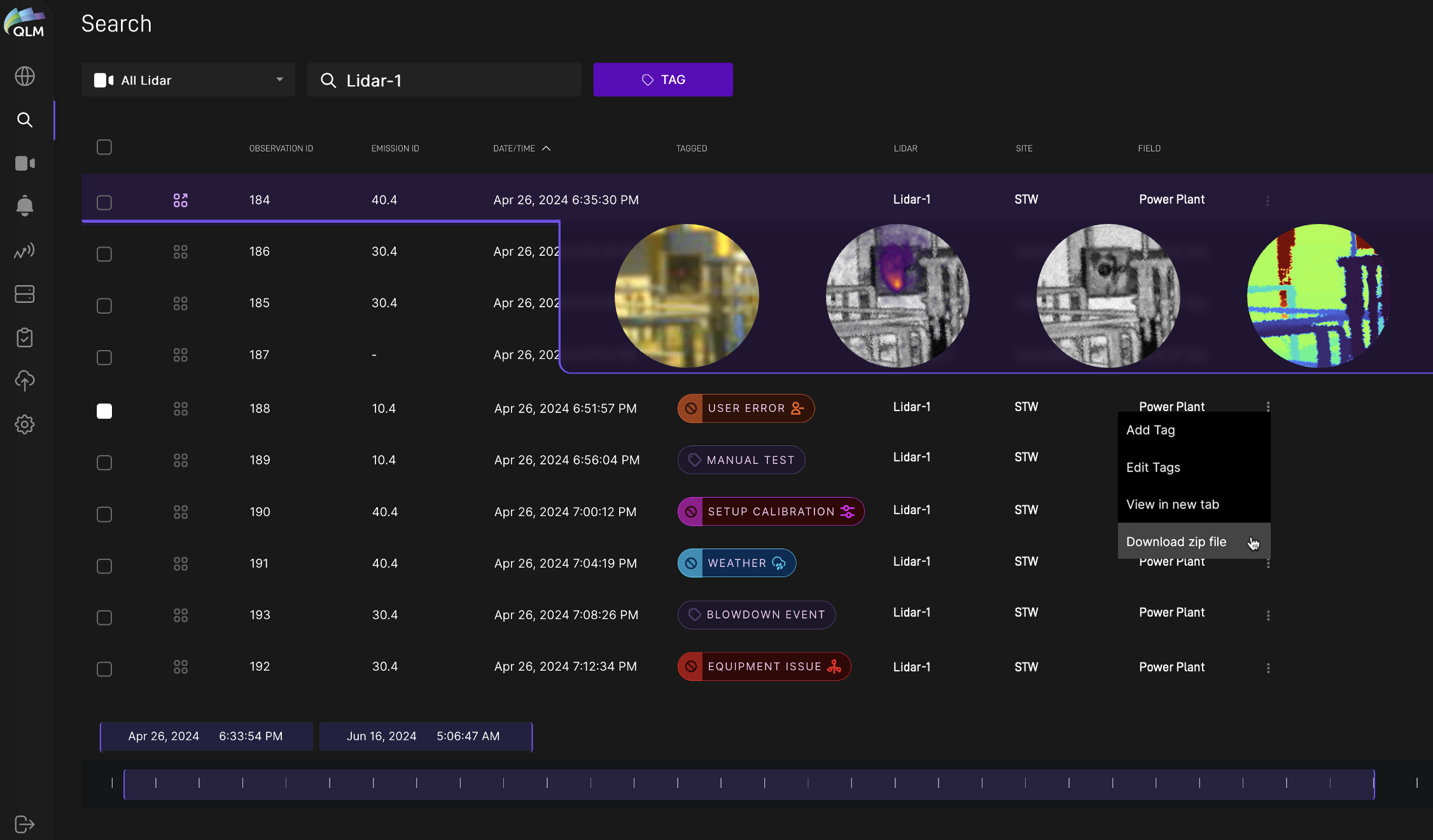
Plume of the Week! Our customers don’t ALWAYS need to dig into individual plume measurement details and imagery, but when they do…. we have a search tool for that! …continuing our QLM Cloud workflow walkthrough, here we show yet another way to find, review and export our lidar data. This browser provides live search and sort functions, making it easy to locate measurements at a particular location or time, or via other searchable attributes – and many won’t be plumes, but rather data showing there were no emissions at that time and place. The tool allows tagging of individual or groups of measurements for driving follow-up/repair workflows or for associating measurements with specific events. The data can be individually exported or viewed from this screen, or it can be opened for detailed analysis in the emission viewer screen we showed last week. This search engine also underpins our full reporting capability, but to learn more about THAT, you’ll have to join us again next week!